
A word on GPS units…
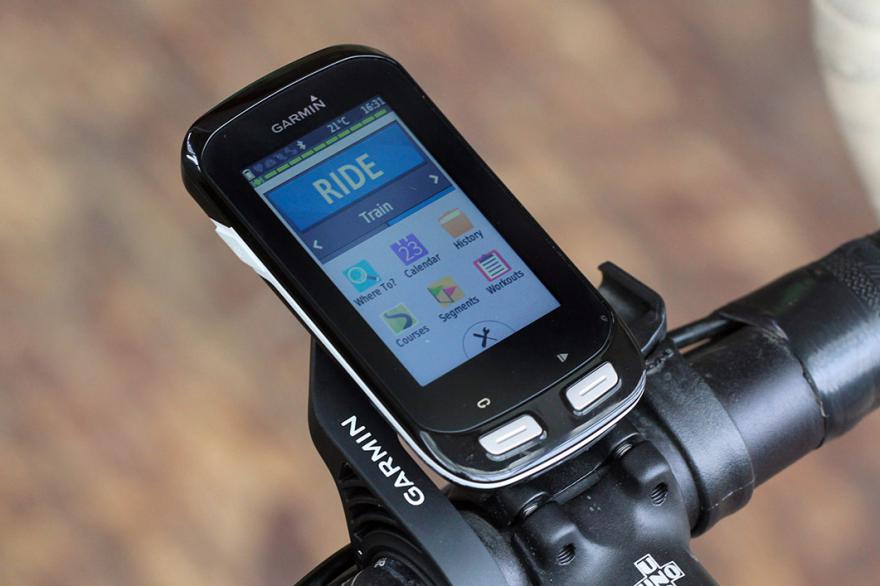
WARNING: THIS IS QUITE A GEEKY, JARGONY POST ABOUT GPS FILE TYPES. IF THAT EXCITES YOU, READ ON. IF NOT, SAVE YOURSELF FROM DISSAPOINTMENT AND READ A DIFFERENT POST INSTEAD.
As a keen cyclist I’ve been using a bike-specific GPS unit for a number of years to get me from one point to another (and then usually back again), and I’ve always used Strava.com to help me plot routes. With thousands of users, Strava is able to plan a route from point A to point B based on the most popular roads used by cyclists in my area and usually, when I simply want to arrive at my destination using the most cycle-friendly roads available, that works fine.
However, the Strava system has often not worked out so well when doing tours, or multi day rides, and I’ve never quite worked out a solution.
Here’s the problem:
When I plot a multi day route, I usually spend a long time plotting a specific route, including cycle paths, roads, places to stop for lunch etc, and although the route on Strava looks exactly the way I want it, when I load it into my Garmin GPS unit, the system calculates a route based on the Strava info and even shows the strava course on the screen, but will then decide to make detours or find “better” roads for me to take, when I just want it to stick to the route I’ve planned.
Our Family bike tour through France this summer has seen this problem appear several times, with my Garmin telling me to turn off a cycle path onto a road, only to then rejoin the same path a mile or so further on, and for no reason. The majority of the time, we’ve just ignored the route change and carried on the strava track, and to give Garmin credit, the unit quickly works out what we’re doing and gets back on track, but it’s just so annoying. And it has been more of an issue this trip as Lara is using a GPS for the first time and often her system will give a different instruction to the one I recieve. You can see the problem.
So last night I did some internet research and today, I think finally fixed the problem:
Strava is great, allowing you to download any course you plan as a GPX or TCX file, but there are various types of GPX file and it transpires that each GPX file from Strava is a “course” file, not a “track” file.
A GPX track is an electronic breadcrumb trail that shows a specific route from one point to another, all in great detail, and often with thousands of route points along the way as it follows every turn of local roads and cycle paths. On the other hand, a GPX course is a much simpler list of several significant points along the planned route, keeping the file smaller (handy for older GPS units) but forcing Garmin units to “calculate” a route from point A to point E, including points B,C and D along the way, however it chooses to plot that.
In the end, my solution was simple. I exported today’s ride as a GPX course from Strava as usual, but then used an online conversion website (GPSies.com) to convert that course into a GPX track.
Having the original route files as a backup, today Lara and I both used these new GPX track files to navigate our route, and guess what… We were’nt encouraged to leave the planned route even once throughout our whole day of cycling.
Now this was our first attempt, and it may be that tomorrow the results are different, but if not, I’m so pleased to have finally found a solution. It’s just a shame that Strava don’t specify that their GPX files are routes, not tracks, otherwise I would have solved this problem long ago.
So there you go…
If you want to get from point A to point B on nice roads but you don’t really mind how you get there, Strava GPX courses are the way to go. But if, like me, you occasionally need your Garmin to follow an exact route without deviation, you need to convert that course to a GPX track. Who knew?
I really hope this helps someone, somewhere, but either way I’m pleased to get it off my chest.
Back to our daily updates tomorrow.
Tags: course, Garmin, GPS, navigation, Strava, track
Hi John. I don’t generally use Strava for pre planned rides for the problems you’ve highlighted. I use Ride by GPS app to plot the tracks ahead or export from the event organisers if its a sportive using the TCX or GPX file. Usually then works fine.
Andy. Great blog by the way.
Thanks Andy. I’ll check out the app you mentioned. It’s just a Shame that Strava can’t add the option to download routes as tracks. It’s going to be a right pain having to add an extra step into the process each time I do a multi day ride. Especially with LeJoG at the end of August. Glad you’re enjoying the blog.
I don’t even know how I ended up here, but I thought this
post was great. I do not know who you are but definitely you are going
to a famous blogger if you aren’t already 😉 Cheers!
P.S. If you have a minute, would love your feedback on my new website
re-design. You can find it by searching for «royal cbd» — no
sweat if you can’t.
Keep up the good work!
My homepage: buy instagram followers
Thank you, I’ve just been looking for info approximately this subject for ages and yours is the best I’ve came upon so far.
But, what concerning the conclusion? Are you sure about the supply?
Also visit my web blog :: casino utan svensk licens